
Odoo 20 Is Here: What Existing Users Should Actually Pay Attention To
Odoo 20 is here, and the wrong way to judge it is by counting features.
There are plenty of them. New AI agents, refreshed screens, warehouse tools, accounting controls, manufacturing planning, website improvements, and industry packages all appear in the release notes.
But most businesses will not feel the release as a long feature list. They will feel it in the moments where Odoo either helps work move forward or forces someone to leave the system, ask a question, build a workaround, or clean up a mistake later.
That is the useful lens for Odoo 20.
The release is less about one dramatic reinvention of the ERP and more about making everyday work more connected to the record, the schedule, the cost, and the decision that matters.
For companies already using Odoo, the question is not simply whether the new version looks better. It is whether the system can now represent the way the business actually runs with fewer gaps between activity on the ground and the data used to manage it.
Odoo 20 puts more context where people already work
ERP frustration often starts with a simple lack of context.
An employee sees a task but not the conversation that explains it. A manager receives a link but cannot reproduce the filters that created the view. A customer email is in Outlook while the ticket, task, or opportunity is somewhere else. A team has a dashboard, but every user rebuilds the same filters before a meeting.
Odoo 20 addresses that kind of friction in small but practical ways.
- Users can now share a link to a current view while keeping its search, filters, and grouping.
- Favorited searches retain visible columns.
- Chatter can be filtered to focus on conversations or tracked changes, and important messages can be pinned.
- The Gmail and Outlook mail plug-ins can search for a contact, task, or helpdesk ticket and log the email in that record’s chatter.
- Calendar events can be linked to any Odoo record.
- Dashboards gain private access, favorite filters, and a fiscal-year date filter.
None of those changes will make a product demo look dramatic. But they matter because they remove the repeated effort of reconstructing the story behind a record.
For a sales manager, that can mean opening an opportunity and seeing the relevant communication rather than asking a rep to forward it.
For a project team, it can mean sharing the exact filtered task view that needs attention.
For an accountant, it can mean preserving the reasoning behind an exception instead of leaving it scattered between email and memory.
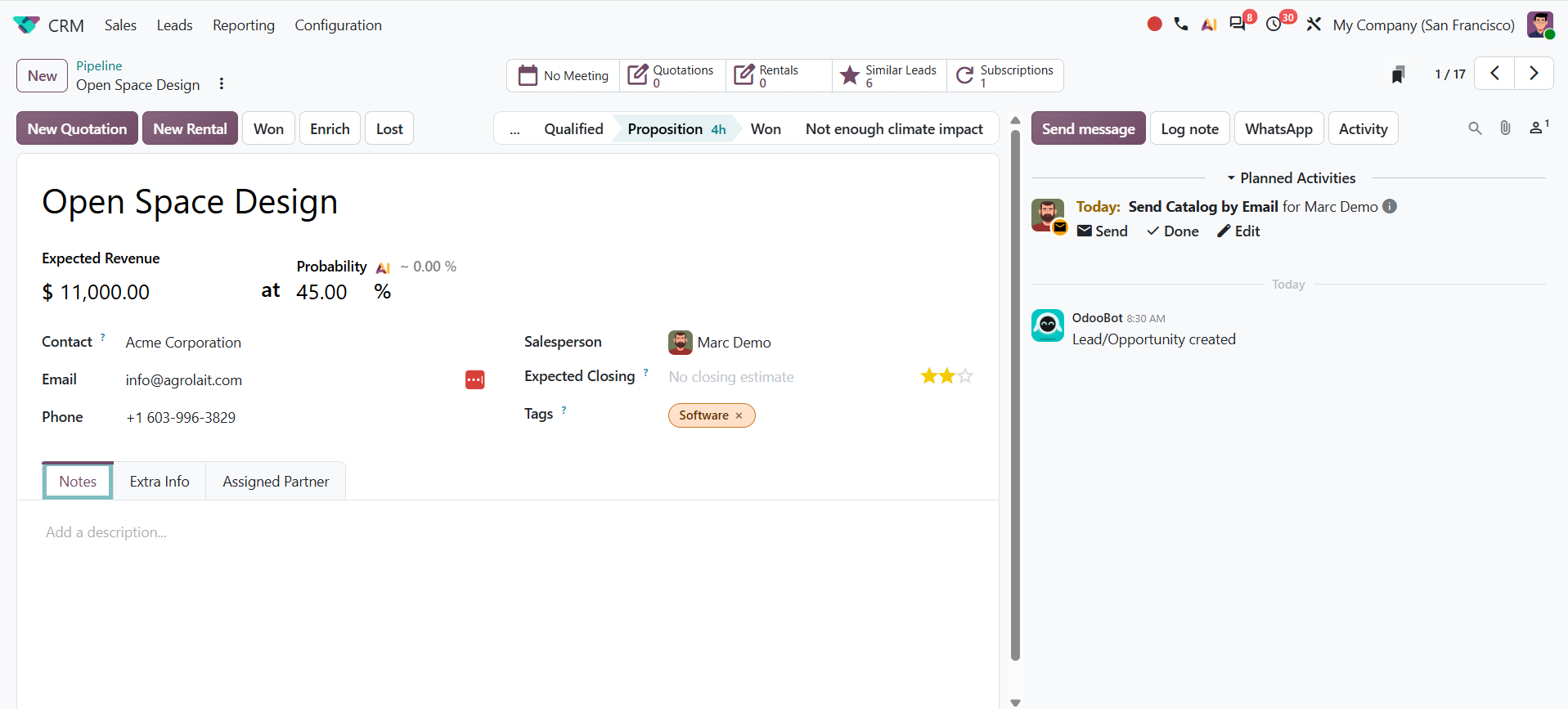
Odoo 20 CRM individual opportunity view
That is a meaningful shift in an ERP. The system becomes less of a place people visit to enter information and more of a place where decisions can be understood.
Scheduling is becoming more realistic
Odoo 20 also shows a strong focus on capacity, availability, and sequencing.
- In Appointments, automatic resource assignment can now account for the number of participants.
- Booking limits can be set per time slot.
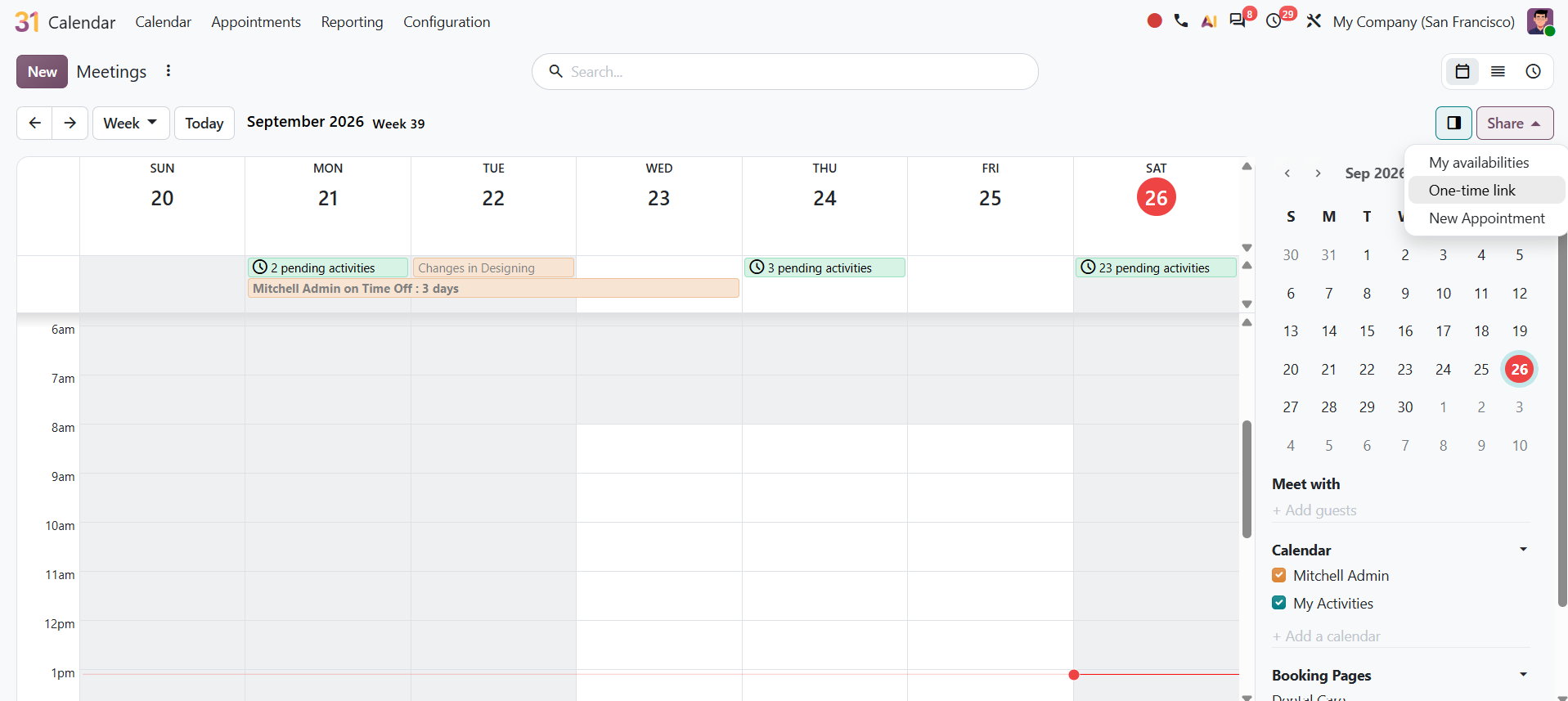
- Availability in the Gantt and calendar views accounts for private events marked as busy.
- Calendar now supports multiple shared calendars, links to Odoo records, and better Google and Outlook synchronization.
For service businesses, the change is broader. Field Service features are now integrated into Planning. Schedules can account for customer locations, technician availability, customer equipment, travel time, routing preference, priority, and materials assigned to a technician. Users can track equipment and intervention history from a shift and invoice for travel fees.
Manufacturers see the same direction in a different form. Work orders have a new Gantt planning view with drag-and-drop planning, color coding, and the ability to plan by employee. Backorders of planned production are planned automatically when created. Odoo 20 also introduces continuous production: when enabled on the bill of materials, later operations can start as soon as some quantity is ready rather than waiting for the entire order to finish.
The operational value is not simply a prettier Gantt view. It is that a plan can better reflect the constraints that decide whether work starts, pauses, or finishes on time.
An appointment schedule that ignores a busy resource is not a real schedule. A technician plan that ignores location is not a real plan. A production schedule that waits for the whole batch when the next operation could begin is not necessarily the most efficient plan. Odoo 20 adds more of that reality to the system.
Finance and inventory get stronger guardrails
The most consequential Odoo 20 changes may be the ones finance teams notice first.
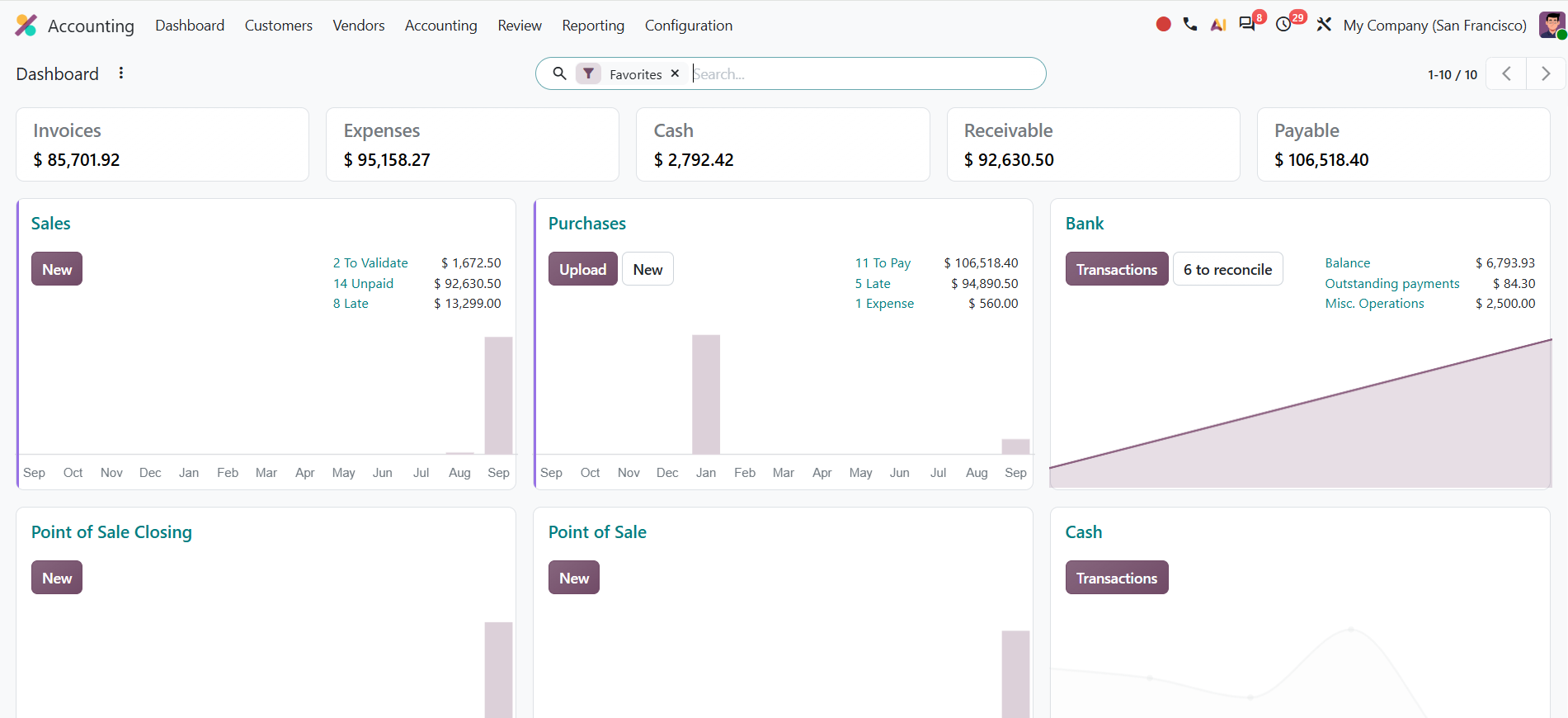
- Odoo now requires all journal entries that impact bank accounts to originate from bank transactions.
- This is designed to prevent manual journal mismatches.
- A bank reconciliation summary report gives a detailed view of reconciled and unreconciled transactions for a selected period.
- Cash journals can be secured with entry hashing at reconciliation.
- Payment statuses have been renamed to clarify the movement from payment to reconciliation, and Odoo has moved the manual “Mark as Reconciled” action out of the main flow to encourage matching payments to real bank entries.
That matters because bank reconciliation is not an administrative afterthought. It is the control that confirms whether cash activity in the ERP matches the real movement of cash. If entries are allowed to drift away from transactions, a business may have reports that look complete without having a reliable cash position.
The release also improves bill handling.
- When a user enters or imports a bill, Odoo can suggest the product, account, tax, analytic distribution, and vehicle based on bill history and the label.
- Values that a user already entered manually are preserved.
- Vendor bill and purchase order matching now offers a clearer summary of what matched, flags price and quantity differences, and supports unmatching when necessary.
- Duplicate detection distinguishes between highly likely duplicates and possible duplicates that deserve investigation.
There is an important distinction here. Automation speeds up encoding, but it does not make financial review unnecessary. In fact, the value of these improvements is that they direct attention toward the exceptions that deserve a human look.
Inventory valuation receives the same level of attention.
- In perpetual accounting, certain accrual entries can now be created from the inventory valuation closing report and directly affect the inventory valuation account.
- If product cost changes after delivery or use, such as after a landed cost or a difference between purchase price and bill price, Odoo can update the delivery value and invoice cost retroactively.
For a manufacturer or distributor, that is not a technical accounting detail. It affects whether reported margin reflects the cost of the goods actually sold.
Warehouse and manufacturing teams get more control at the point of work
Odoo 20 does not treat inventory as a static quantity on a report.
- The new inventory-at-a-past-date view supports a precise timestamp and preserves filters. This makes it easier to investigate what stock was recorded at a particular point in time rather than relying only on today’s quantity.
- The allocation flow can now be managed directly from the forecast report.
- A stock aging report is available from Moves Analysis.
- Suggested minimum and maximum stock levels can be based on demand history, desired days of coverage, and order frequency.
These are useful tools, but their value depends on the quality of the transactions behind them. A suggested reordering rule is not an instruction to purchase blindly. It is a starting point that should be checked against supplier lead times, promotions, seasonality, substitute products, and actual demand risk.
Traceability also improves. The traceability report combines upstream and downstream lot or serial number information in a single report, highlights final lot locations, and dims intermediate locations.
Warehouse users can see vendor purchase references on receipts, manage packaging barcodes more easily, and print location barcode labels in ZPL format.
In Barcode, buttons stay in the same place regardless of the quantity entered. Users can choose whether to create a backorder, enter the total counted quantity for a product during inventory counts, generate lots or serials in bulk, and receive packages whose contents were prepared in advance.
These are small interface details with a direct effect on execution. A scanner workflow only improves accuracy if it is faster and clearer than the workaround people would otherwise use.
Manufacturing teams also receive more usable information.
- The manufacturing order Kanban view groups orders by scheduled date and displays component status, active work center, deadline, and remaining time.
- The order overview shows provisional cost while work is in progress and actual cost after completion.
- Bills of materials can be compared based on quantities used, and components and subassemblies can be managed directly from the bill-of-material form.
The practical result is not simply that manufacturing has more screens. It is that planners, supervisors, and finance teams have a better chance of seeing the connection between material availability, work in progress, timing, and cost before the month is over.
AI in Odoo 20 is useful when the work is defined
Now shall we talk about the part which everyone loves to talk about? AI
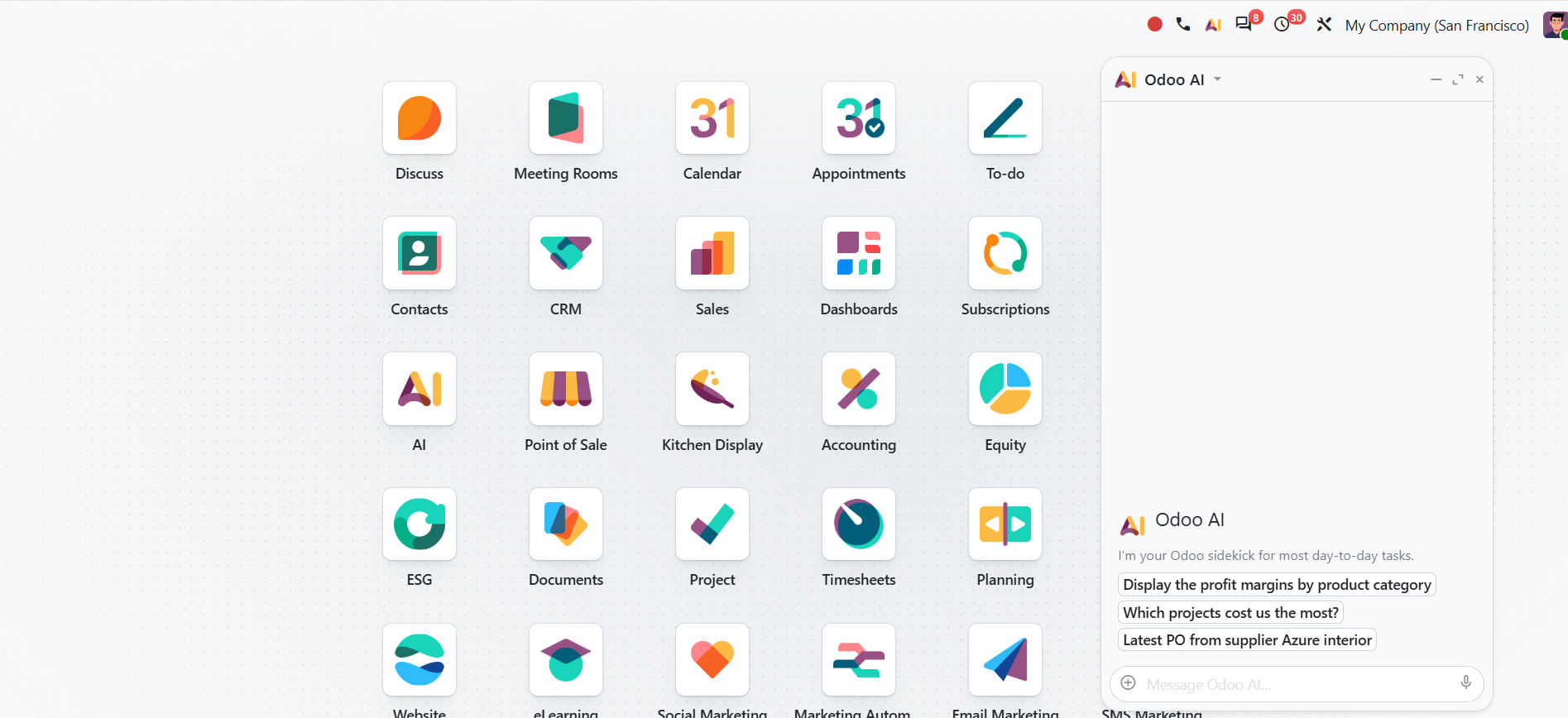
- Odoo’s AI agents can answer questions about a file, create and update records, filter views by time period, accept uploaded and linked documents, and be called by automated or scheduled actions.
- Users can see live updates about what an agent is doing, answer its questions or permission requests through buttons, and confirm when it reaches a tool-call limit.
- Conversations are stored for up to 30 days after the last message, and AI features require IAP credits.
AI also appears inside existing apps.
- It can rename files in Documents, suggest answers to similar helpdesk tickets, assign ESG emission factors, help create marketing campaigns and social posts, edit eCommerce product information, and assist with website pages, forms, menus, and SEO.
The useful question is not, “Where can we add AI?” It is, “Which repeatable piece of work has clear inputs, clear boundaries, and a clear owner?”
A well-defined use case might be helping a team classify uploaded files, drafting a first response to a recurring support question, or creating a first version of a website page that a person reviews. A poor use case is asking an agent to make unreviewed financial, pricing, approval, or customer-commitment decisions because it appears convenient.
Odoo 20 gives companies more capability. It does not remove the need to decide where automation should stop.
Here's a detailed guide on Odoo 20 AI Capabilities
What existing Odoo users should do next
An Odoo 20 upgrade should not begin with a list of features to activate. It should begin with a short list of workflows that currently create friction or risk.
For example:
- A finance team might test bank consistency, vendor bill matching, duplicate detection, and inventory valuation closing.
- A warehouse team might test past-date inventory, allocation, traceability, package scanning, and the revised returns flow.
- A manufacturer might test continuous production, work-order planning, manufacturing-order cost visibility, and component replacement.
- A service team might test Planning against actual customer locations, travel time, equipment history, and priority work.
- A website or marketing team might pilot AI in one bounded content process with a clear review step.
The testing environment matters. A feature may work exactly as intended and still create problems if the company’s roles, master data, customizations, integrations, or training are not ready for it.
Odoo 20 is worth paying attention to because it gives well-run teams more ways to keep work, data, and decisions connected. The businesses that benefit most will not be the ones that turn on the most features. They will be the ones that choose the right workflows, test them properly, and make the new process clear to the people expected to use it.
If your team is considering Odoo 20, the useful starting point is not “What is new?” It is “Where does our current process lose accuracy, time, or accountability?”
Want to know how Odoo 20 compares to your ERP or current version?
Share your details and we'll be in touch.
Frequently asked questions
What are the biggest Odoo 20 features for accounting teams?
The most significant accounting changes include bank consistency controls, reconciliation reporting, bill-line prediction, improved bill and purchase-order matching, better duplicate detection, and inventory valuation updates for late cost changes.
What changed in Odoo 20 inventory?
Key inventory changes include allocation from the forecast report, historical inventory views with precise timestamps, stock aging, demand-based suggested stock levels, improved traceability, simplified returns, and practical Barcode improvements.
What changed in Odoo 20 manufacturing?
Odoo 20 adds continuous production, automatic planning for production backorders, new work-order Kanban and Gantt views, clearer manufacturing-order cost visibility, bill-of-material comparison, and easier component and subassembly management.
Does Odoo 20 include new AI features?
Yes. Odoo 20 adds or expands AI agents that can work with files and records, be called by scheduled or automated actions, and support workflows across Documents, Helpdesk, eCommerce, marketing, ESG, and Website.
Are all Odoo 20 features relevant to every company?
No. The most valuable features depend on the company’s process maturity, modules in use, data quality, integrations, customizations, and operating risks. A feature should be assessed against a real workflow, not activated simply because it is new.
Meet Odoo 20: New Features, New Improvements