
Odoo 20 Email Marketing: What's New and Why It Matters
Odoo 20 Email Marketing has received one of its most substantial updates in recent versions.
The improvements go beyond the email editor. Odoo has expanded design options, improved recipient targeting, introduced more reusable content, and made campaign performance easier to understand.
For marketers using Odoo, this means less time preparing emails and more control over who receives them, what they see, and how they respond.
What's New in Odoo 20 Email Marketing?
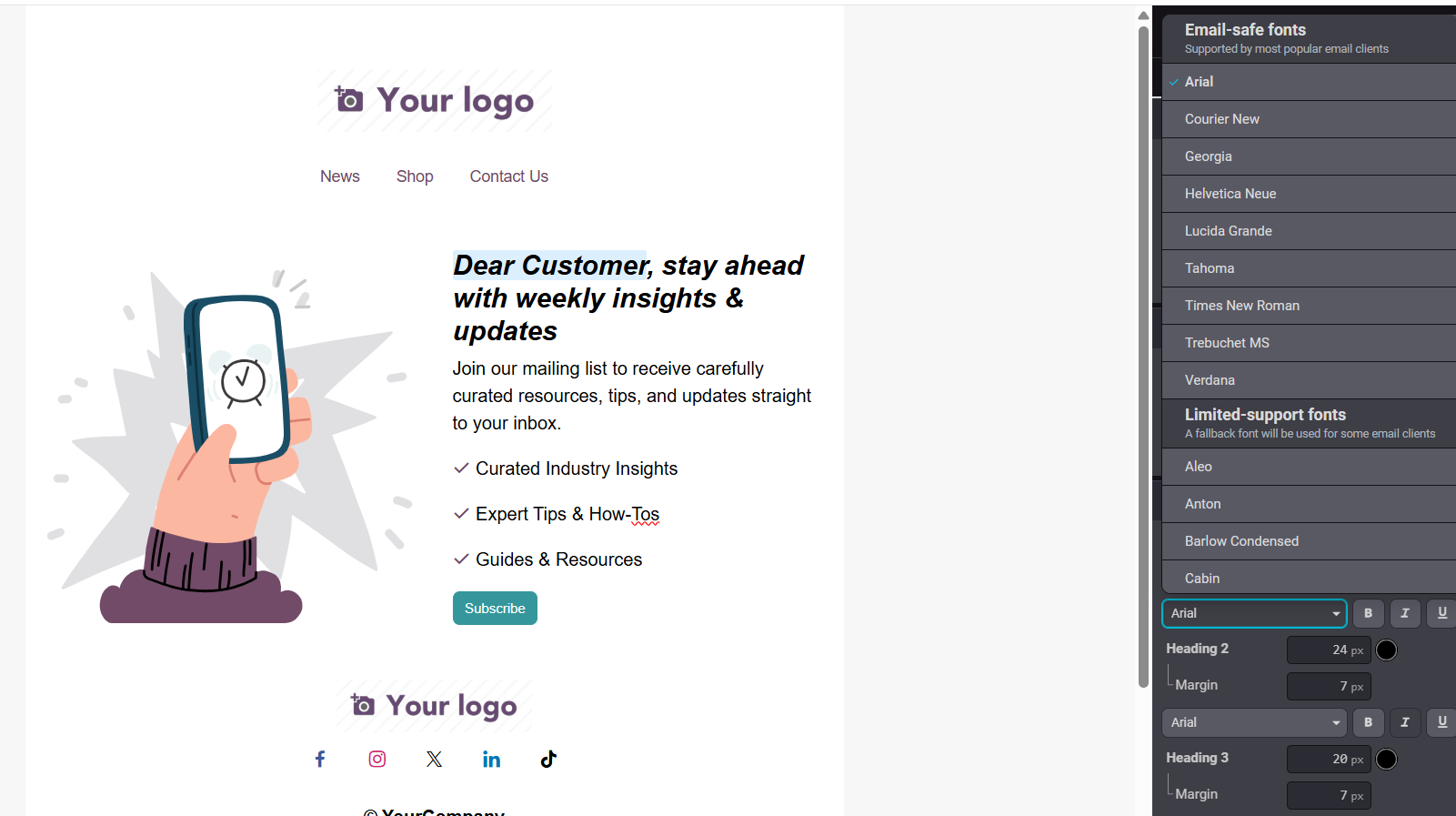
1. More Than 30 Fonts
Earlier versions offered a limited selection of roughly seven or eight fonts. Odoo 20 expands the selection to more than 30, giving marketers greater control over email typography.
Odoo also introduces fallback fonts for email clients that do not support the selected typeface.
Why it matters: More freedom to match your brand's typography without relying on custom HTML.
2. Conditional Email Content
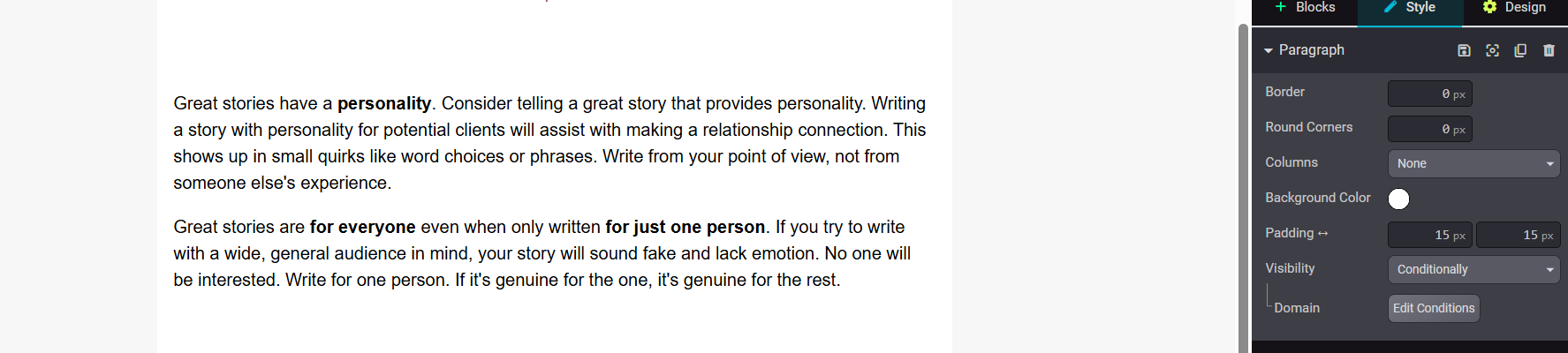
Odoo 20 supports conditional blocks that display content based on individual recipient conditions.
Instead of creating separate emails for every audience, marketers can control which blocks different recipients see.
Why it matters: More relevant emails without creating and managing multiple versions of the same campaign.
3. Dynamic Mailing Lists
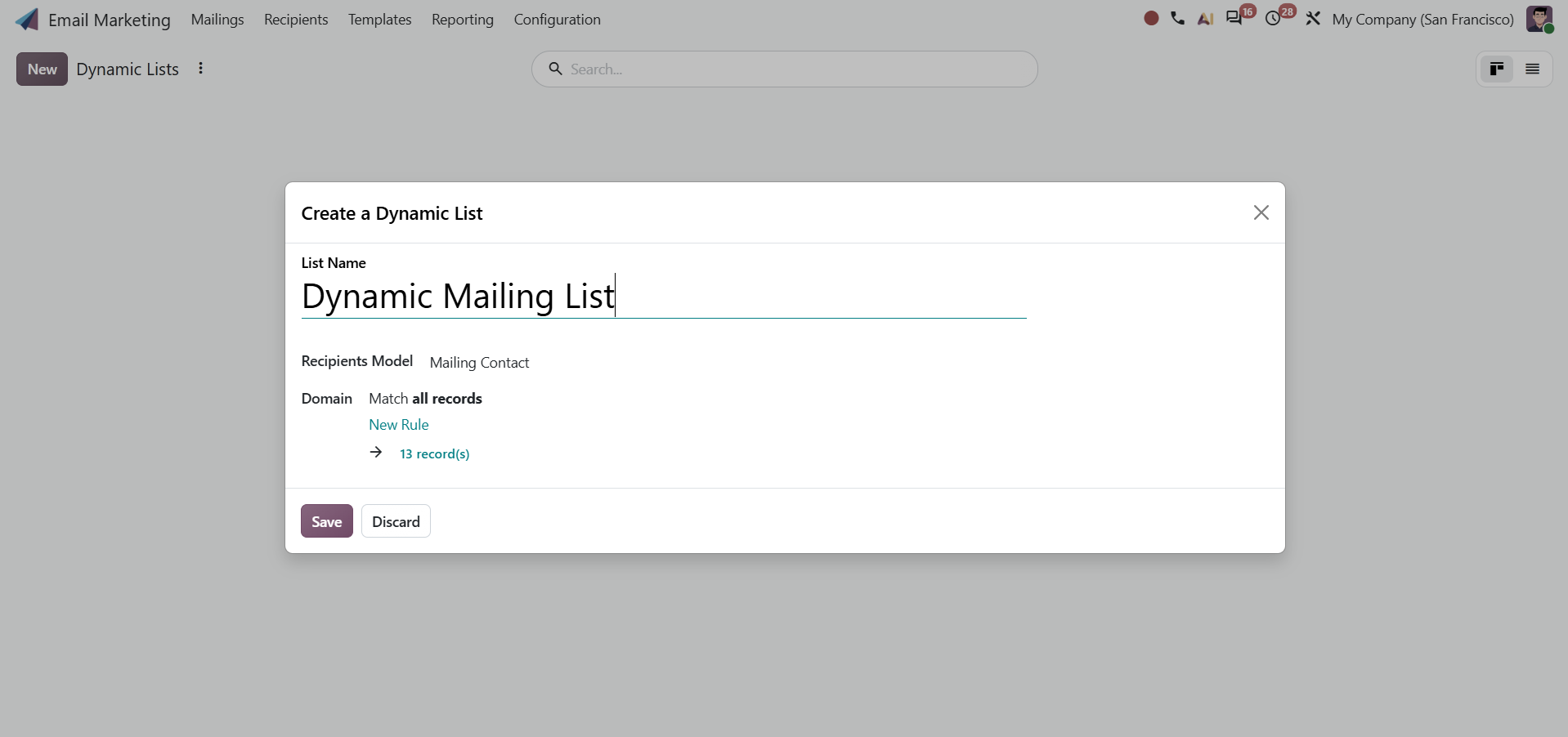
Odoo 20 can calculate recipients when a mailing is processed.
That means your audience can reflect the latest matching records instead of relying on a manually maintained list.
Why it matters: Less manual list management and fewer outdated audiences.
4. Better Click Tracking
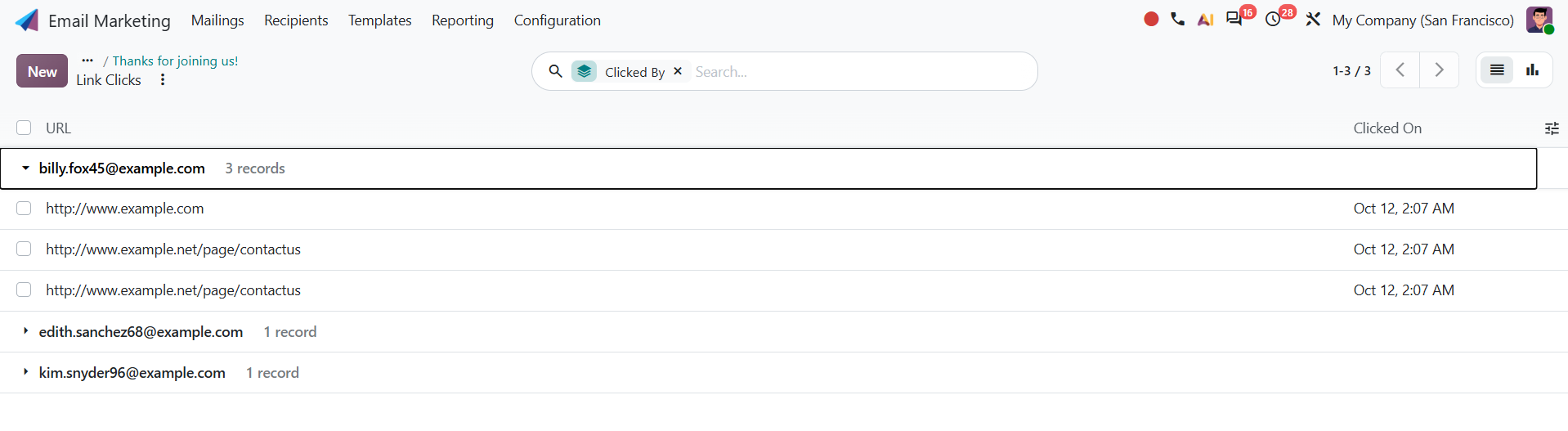
You can now see which recipients clicked which links inside your email.
Previously, understanding campaign performance often meant looking at broader engagement numbers.
Why it matters: Marketers can identify which links attracted attention and which recipients engaged with them.
5. Reusable Templates and Favorite Blocks
Odoo 20 introduces a dedicated mailing template library.
You can save entire emails as templates and individual content blocks as favorites.
Why it matters: Stop rebuilding the same email structures every time you launch a campaign.
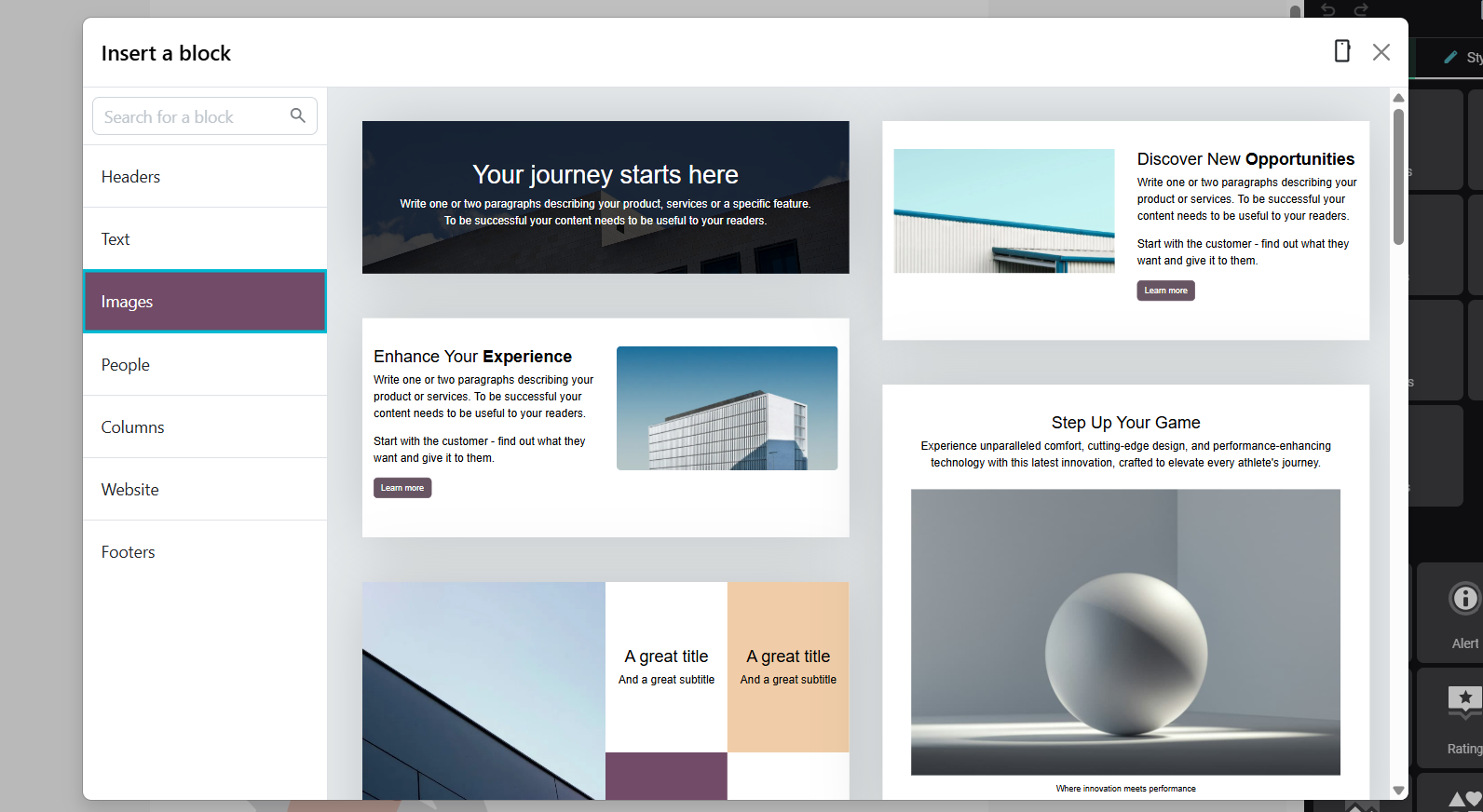
6. More Email Templates and Building Blocks
The email editor includes additional templates and content blocks.
Product and event snippets can also pull information directly from selected Odoo records.
Why it matters: Less copying information between applications and fewer manual updates to email content.
7. Full-Screen Email Editing
Odoo 20 makes full-screen editing the standard experience.
It gives marketers more room to work on email layouts without unnecessary interface restrictions.
Why it matters: A more comfortable editing experience, especially for emails with multiple sections.
8. Easier Blacklist Exclusion
Odoo 20 includes a simple option for excluding blacklisted recipients without manually building an exclusion filter.
Why it matters: One less configuration step when preparing your mailing audience.
Important: Odoo already had blacklist protections in previous versions. The improvement described here is the simpler control, not the introduction of blacklist protection itself.

9. View Email in Browser
Odoo 20 adds a browser-view option to the email editor.
Recipients can open a web version of the mailing when their email client does not display it correctly.
Why it matters: Recipients have another way to access the email as intended.
10. Better Contact and Subscription Management
Adding contacts to mailing lists is easier, and recipients have more control over their subscriptions.
Odoo 20 also supports mailings to employees and suppliers.
Why it matters: Easier audience management and more flexibility in communicating with different business contacts.
Is Odoo 20 Email Marketing Better Than Previous Versions?
Yes, particularly when it comes to the everyday work of creating and managing campaigns.
The biggest improvement is not any single feature.
It is the combination of better design tools, more flexible content, improved targeting, and easier campaign management.
Odoo already had a capable Email Marketing application. But marketers still had to work around limitations in typography, template management, and audience preparation.
Odoo 20 addresses several of those frustrations.
And that is what makes this release worth paying attention to.
Good email marketing still depends on the message, the audience, and the timing. Odoo 20 simply makes the software less of an obstacle.
Want to Get More Out of Odoo 20?
At Silverdale, we help businesses implement, upgrade, and improve Odoo around how their teams actually work.
If you are considering Odoo 20 or want to improve your existing Email Marketing setup, we can help.
Frequently Asked Questions About Odoo 20 Email Marketing
What is new in Odoo 20 Email Marketing?
Odoo 20 improves Email Marketing with more font choices, conditional content, dynamic mailing lists, detailed click tracking, reusable mailing templates, favorite blocks, product and event snippets, full-screen editing, and improved contact management.
Can Odoo 20 show different email content to different recipients?
Yes. Conditional content allows specific blocks within an email to appear based on conditions for individual recipients. This makes it possible to create more relevant emails without building a separate campaign for every audience.
Does Odoo 20 have better email templates?
Yes. Odoo 20 expands the available templates and content blocks. You can also save complete mailings as reusable templates and save individual blocks as favorites.
Can I see who clicked a link in an Odoo 20 email?
Yes. Odoo 20 provides more detailed click tracking, allowing marketers to see which recipients clicked specific links in a mailing.
What are dynamic mailing lists in Odoo 20?
Dynamic mailing lists calculate the recipients when the mailing is processed. This reduces the need to manually maintain static lists and helps keep audiences aligned with current Odoo data.
Does Odoo 20 have more fonts for email marketing?
Yes. Odoo 20 significantly expands the font selection available in the email editor, giving marketers more flexibility when matching emails to their brand.
Can Odoo 20 automatically exclude blacklisted recipients?
Odoo 20 makes this easier with a dedicated option for excluding blacklisted recipients, reducing the need to configure the exclusion manually through filters.
Can Odoo 20 emails include a “View in Browser” option?
Yes. Odoo 20 includes a browser-view option so recipients can open the mailing in their browser if needed.
Is Odoo 20 Email Marketing better than previous versions?
For marketers, the biggest improvement is the overall workflow. Better targeting, reusable content, more design options, dynamic audiences, and improved tracking reduce the amount of manual work required to build and manage email campaigns.
Do I need to upgrade to Odoo 20 just for Email Marketing?
Not necessarily. The decision should depend on your current Odoo version, the features your team needs, and the wider impact of upgrading. However, teams that rely heavily on Odoo Email Marketing have more meaningful improvements to consider in Odoo 20 than in several recent releases.
Odoo 20 Email Marketing: The Biggest Upgrade in Years?