
This video walks through how to use the Silverdale portal on Pinanga to get support and manage your requests. It covers how to use Ask Dale to describe an issue, receive guided solutions, and log a ticket if needed. It also shows how Dale and Me helps you track ticket status, view updates, and stay on top of ongoing work.
How to access Silverdale Portal as PINANGA User:
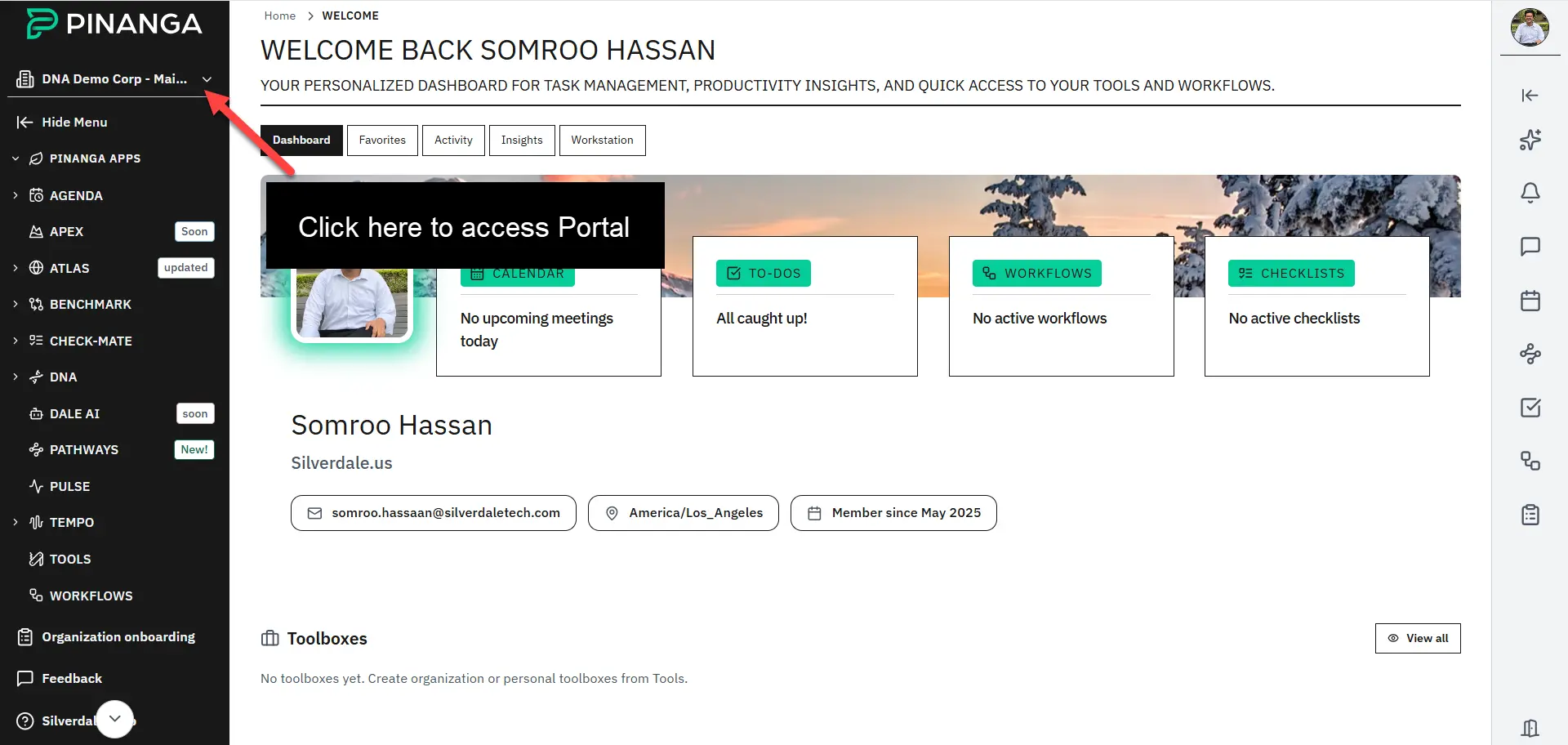
Step 1: Inside your PINANGA App, Click on your organization at top-left.
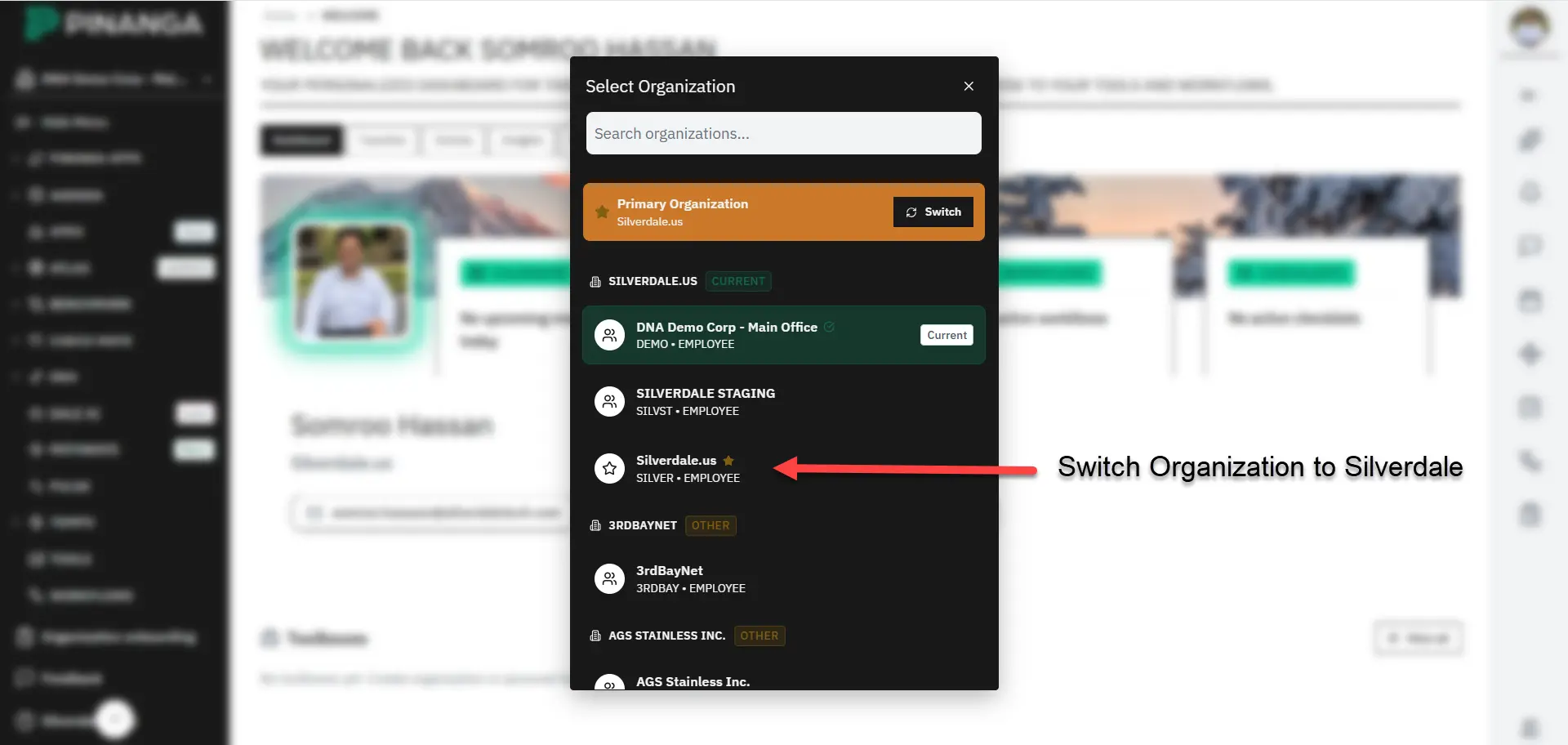
Step 2: Click on silverdale.us organization which will lead you to the portal
Using the Silverdale Portal for Support and Ticket Tracking