
Odoo 20 Marketing Automation is becoming event-driven
Odoo 20 makes Marketing Automation more responsive to what customers actually do.
With event-based triggers, webhooks, new actions, AI-assisted campaign creation, reusable templates, and a visual workflow builder, campaigns can respond to real activity instead of relying mainly on predefined sequences.
The result is more relevant automation with better control over what happens next and why.
What’s new in Odoo 20 Marketing Automation?
1. Event-based triggers
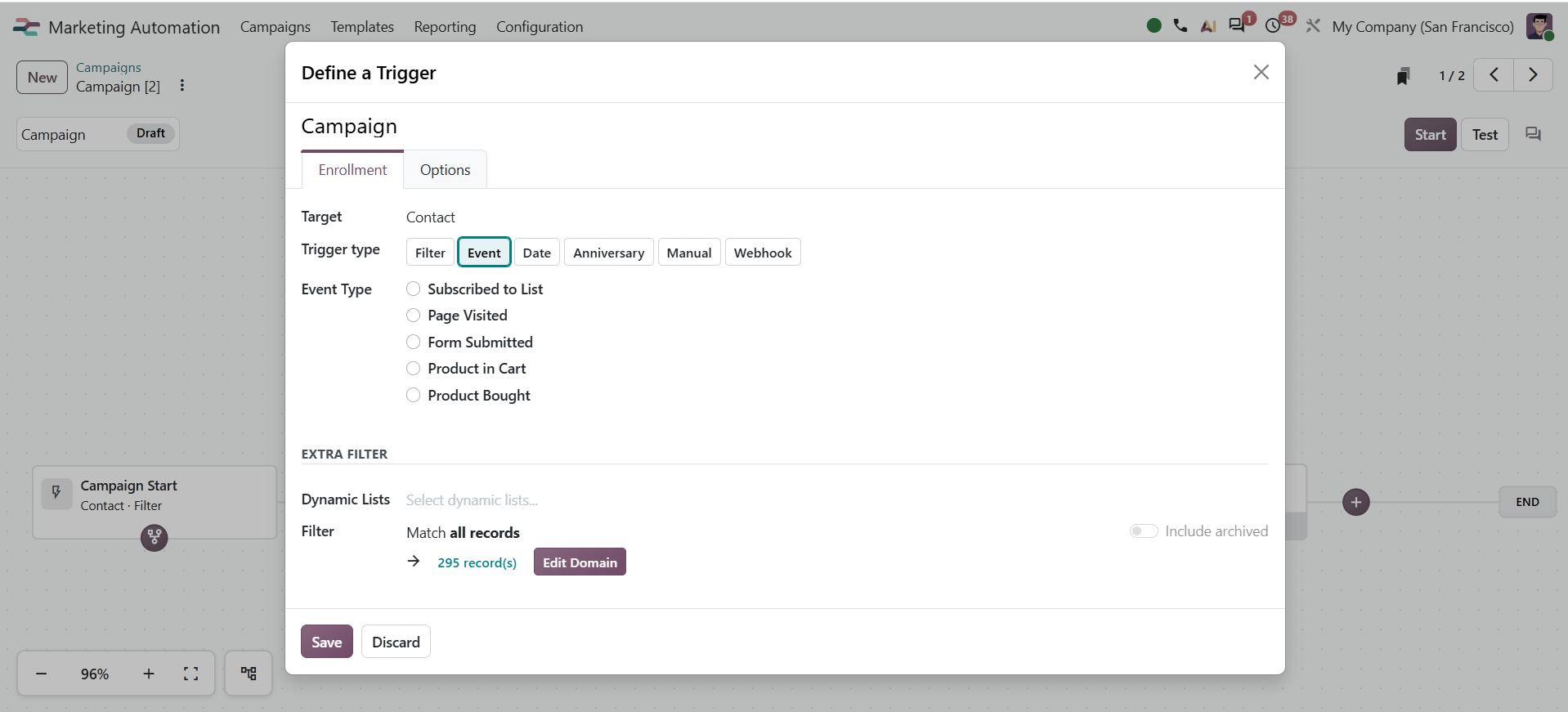
Odoo 20 marketing campaigns can now be triggered by events such as page visits and mailing-list subscriptions.
That changes the starting point of an automation.
Instead of:
Contact enters list → wait 2 days → send email
you can build around:
Contact visits relevant page → trigger campaign → take the appropriate next action
The automation is responding to behavior rather than simply following a clock.
2. More ways to trigger an action
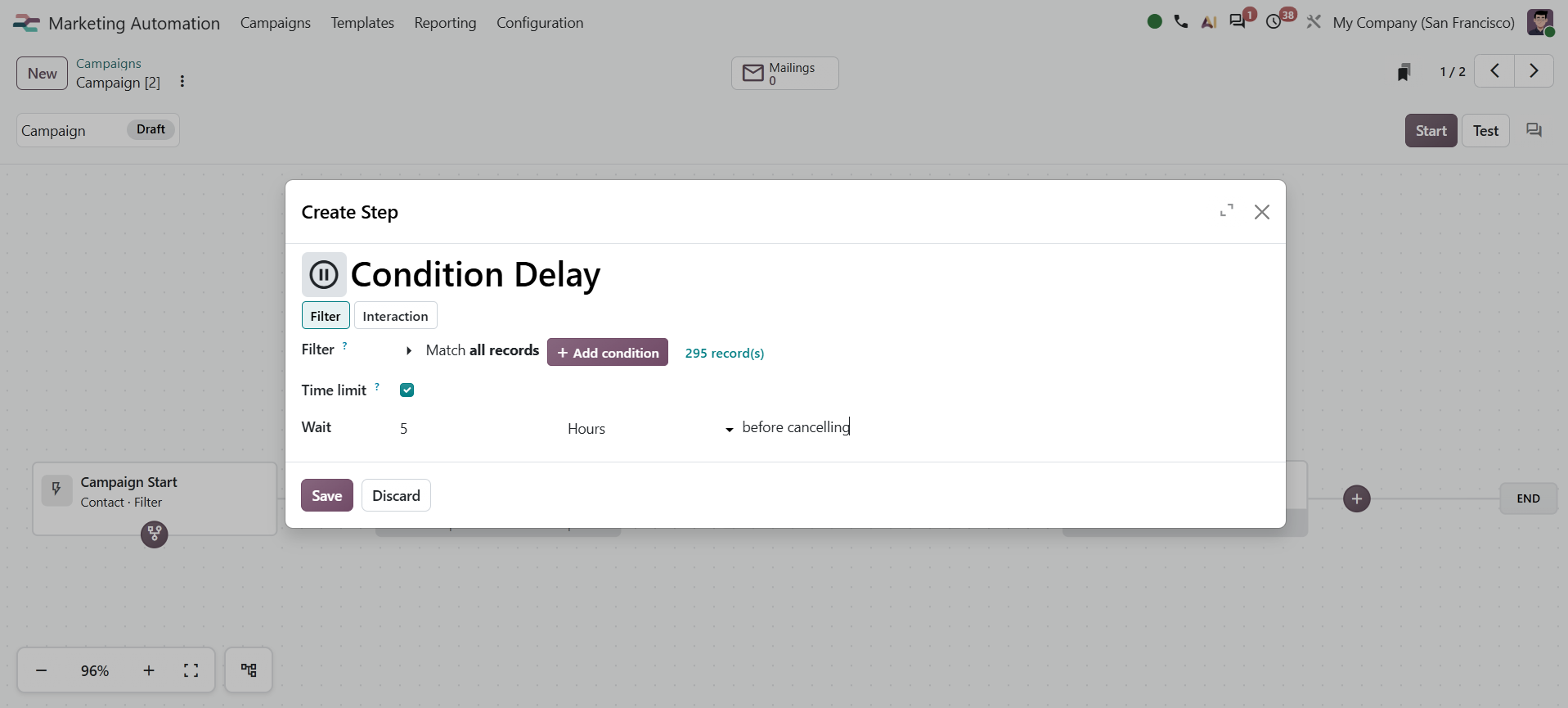
Odoo 20 expands triggers to include events, dates, anniversaries, webhooks, and on-demand triggers.
It also introduces actions including “Collect new activity” and “Wait for a value.”
This gives marketers more control over when a workflow should continue, rather than forcing every journey into a fixed sequence.
3. Webhook integration
This may be one of the most useful additions.
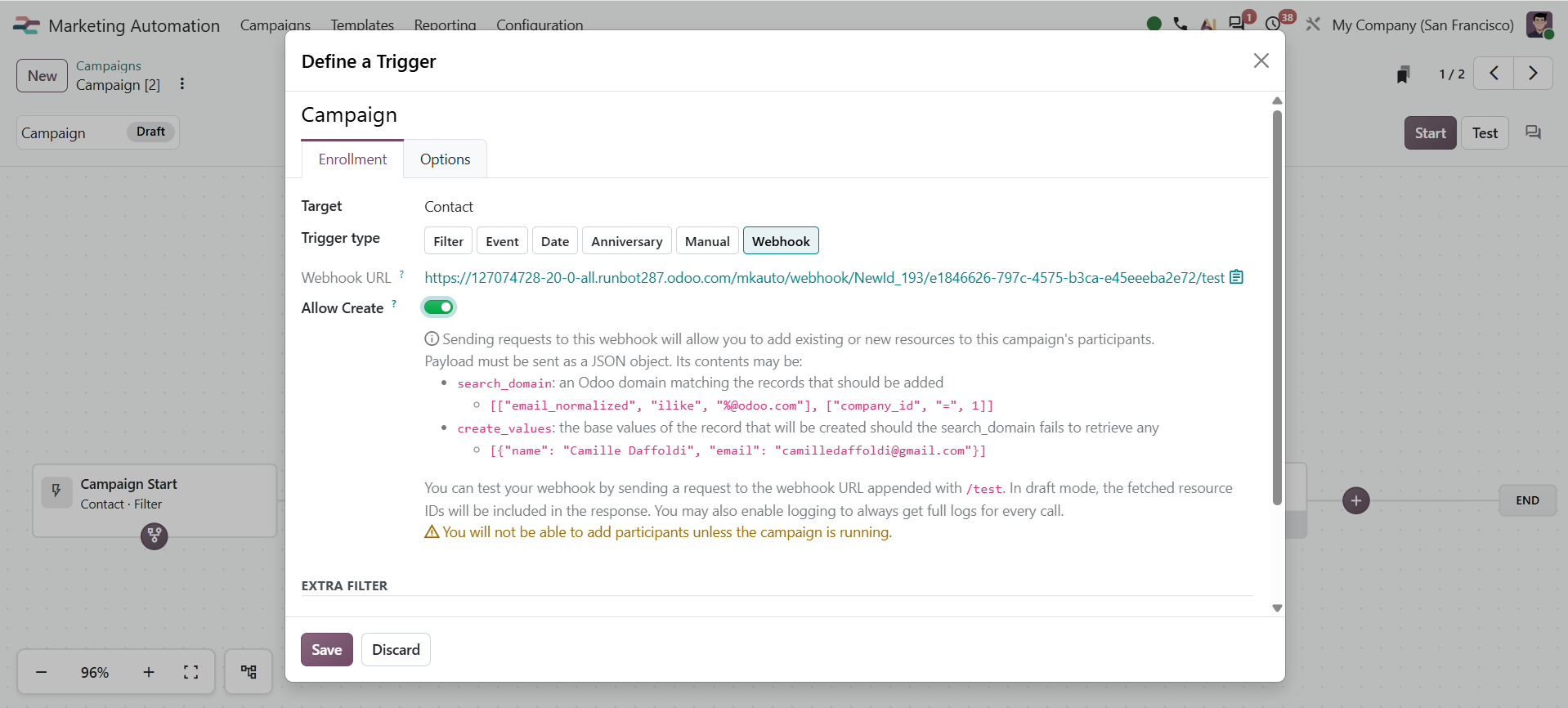
External systems can now use webhooks to add participants to Odoo Marketing Automation campaigns in real time.
That means the event that starts an Odoo campaign does not necessarily have to happen inside Odoo.
If another system knows something important happened, that event can become part of the marketing workflow.
For businesses running multiple platforms alongside Odoo, that makes Marketing Automation considerably more useful.
4. A drag-and-drop workflow builder
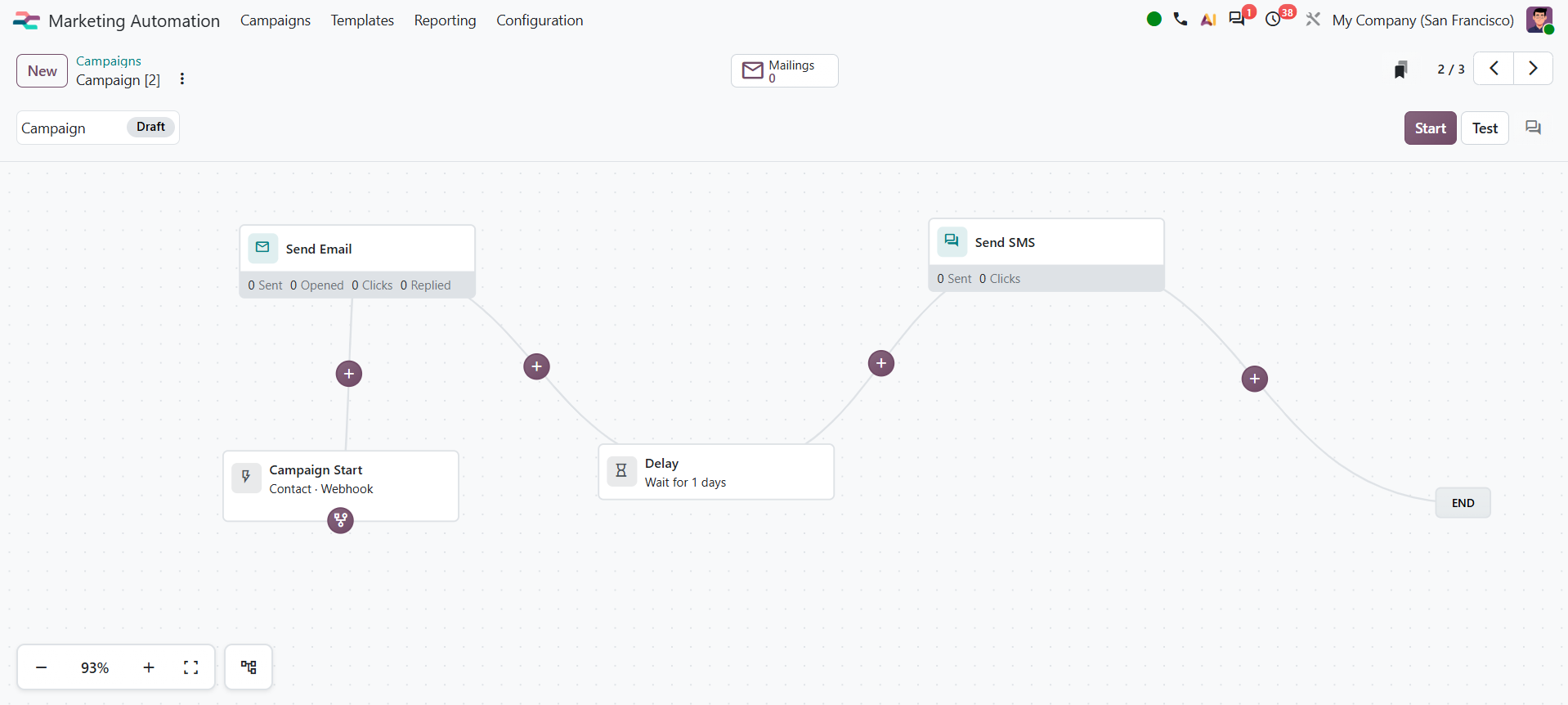
Odoo 20 adds a drag-and-drop workflow builder for creating customer journeys visually.
This matters more than it sounds.
Marketing automation gets difficult to manage when campaigns become a collection of triggers, delays, conditions, emails, actions, and branches that only the person who built them understands.
A visual workflow makes the logic easier to build, review, and explain.
5. AI-assisted campaign creation
Odoo 20 also lets marketers ask the AI assistant to help set up a campaign.
That can reduce some of the setup work.
But AI should not decide the customer journey for you.
The marketer still needs to answer the important questions:
Who should enter this campaign?
What happened to put them here?
What should happen next?
When should the automation stop?
AI can help build the workflow. It cannot replace the logic behind it.
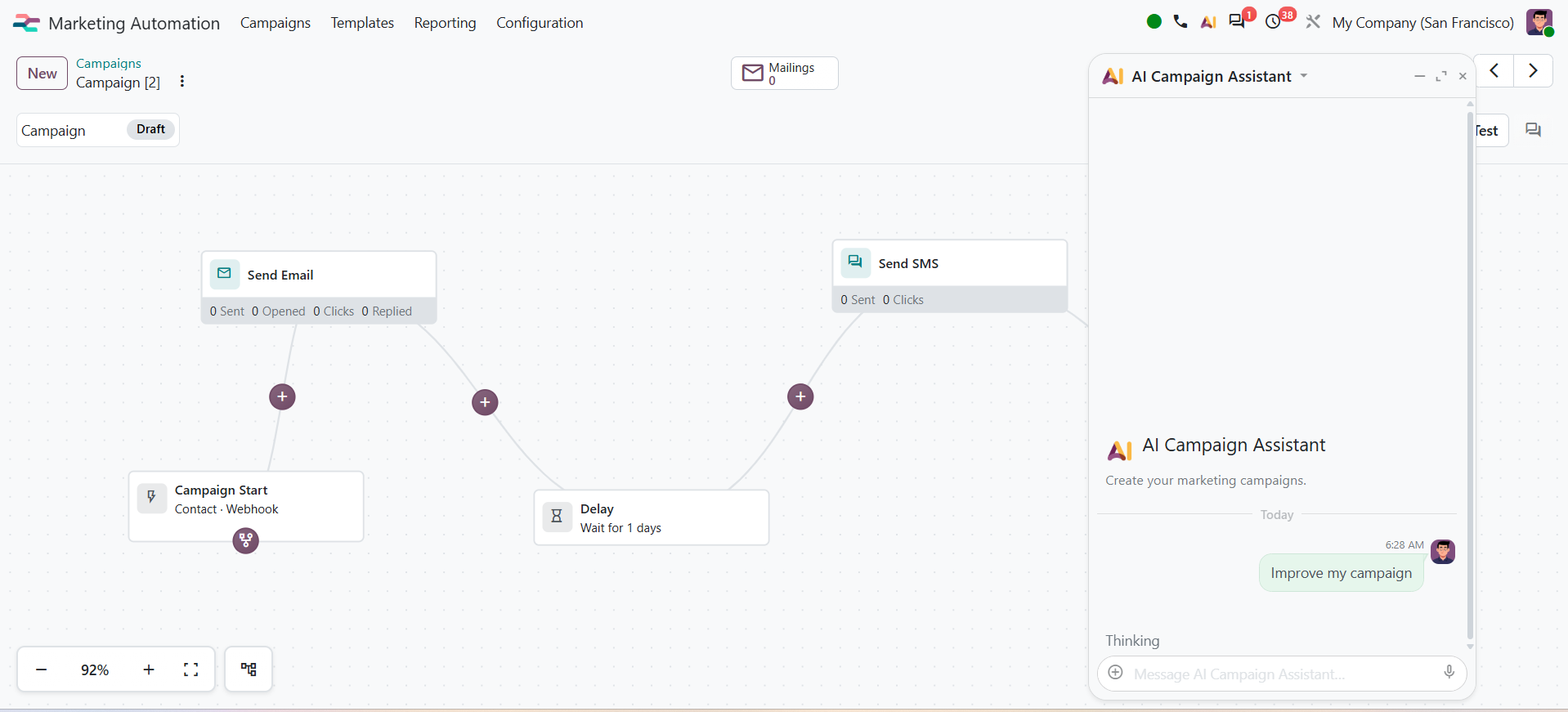
It is important to understand that AI can suggest improvements and even implement them, but the final decision should still sit with you or your Odoo expert.
AI works from the context and instructions it is given. It can get things wrong, so changes that affect your data, workflows, or business rules should always be reviewed before they are applied.
6. A mailing template library
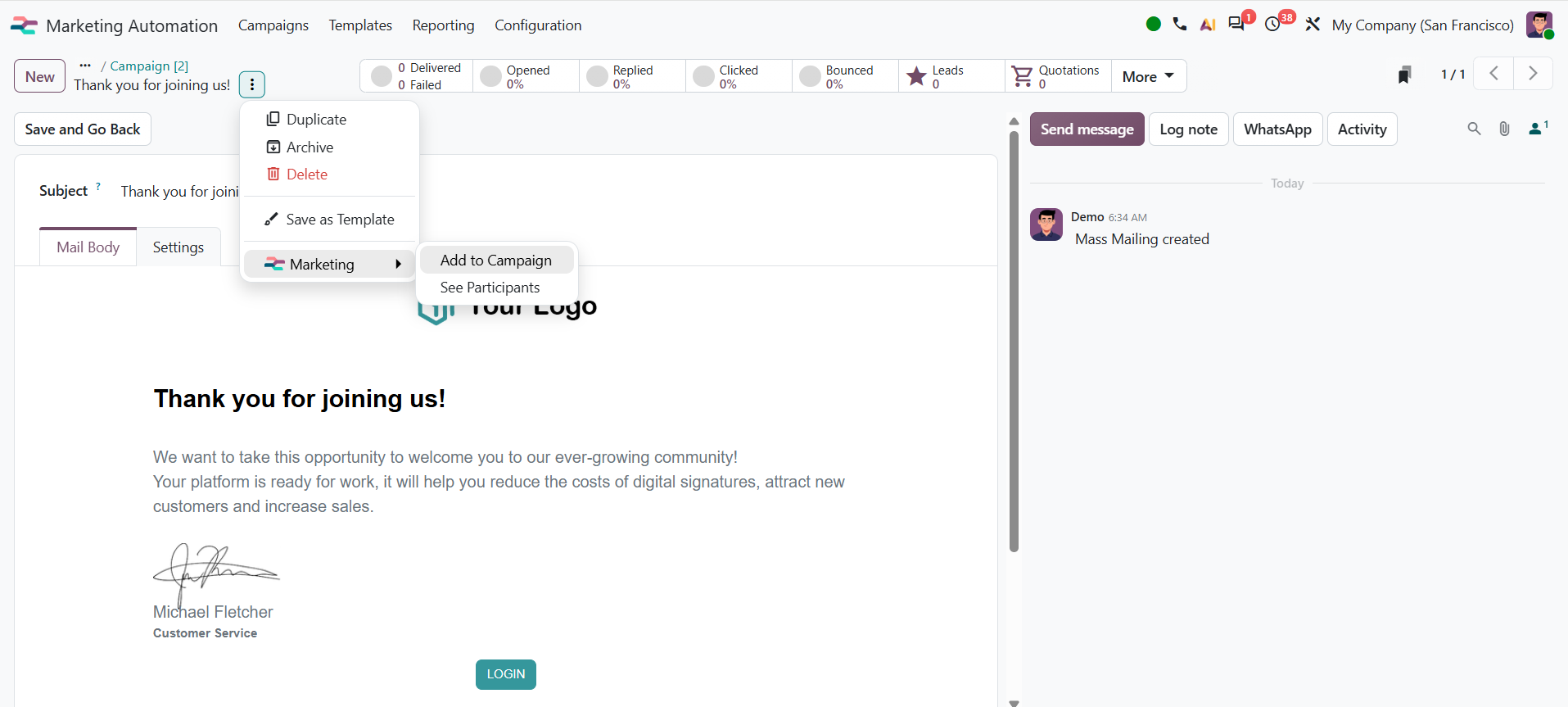
Mailings can now be saved as templates and accessed through a dedicated menu.
It is a smaller change, but a practical one.
Teams repeatedly building onboarding emails, follow-ups, event communications, nurture emails, or other recurring messages can reuse established structures rather than recreating them campaign by campaign.
Odoo 20 vs. previous Marketing Automation
Odoo already supported dynamic campaigns, audience filters, workflow activities, email and SMS actions, testing, reporting, and engagement-based journeys before Odoo 20. For example, Odoo 18 documentation describes automated campaign workflows built around target audiences, triggers, durations, and activities.
Odoo 20 extends that model.
| Before | Odoo 20 |
| Campaign workflows | Visual drag-and-drop workflow builder |
| Existing workflow triggers and conditions | Events, dates, anniversaries, webhooks and on-demand triggers |
| Campaigns primarily driven by Odoo data and interactions | External systems can enroll participants through webhooks |
| Manual campaign setup | AI-assisted campaign creation |
| Campaign mailings | Dedicated reusable mailing template library |
| Standard workflow activities | New actions such as “Collect new activity” and “Wait for a value” |
The shift is simple:
Odoo Marketing Automation is becoming less about scheduling messages and more about designing what should happen next.
What does Odoo 20 Marketing Automation actually make possible?
Consider a prospect researching a particular service.
Instead of putting every lead into the same five-email sequence, the workflow could be designed around meaningful events:
Prospect visits a relevant page
↓
Odoo triggers the appropriate campaign
↓
Workflow waits for the required condition or value
↓
Prospect takes another meaningful action
↓
Odoo continues the journey
And because Odoo 20 supports webhook-driven enrollment, an external system can also provide the event that brings someone into the campaign.
That is much closer to how marketing automation should work.
Not:
How many emails can we automate?
But:
What happened, and what should happen next?
The part Odoo 20 cannot automate for you
Better tools do not automatically create better campaigns.
Before building an Odoo 20 marketing automation workflow, define:
Trigger → Audience → Condition → Action → Exit
If those five things are unclear, adding more automation will usually create more noise.
If they are clear, Odoo 20 gives marketers considerably better tools for turning that logic into an actual workflow.
That is where this release gets interesting.
Thinking about Odoo 20?
If you are already using Odoo and want to understand what Odoo 20 Marketing Automation could change in your current setup, we can look at the workflows you have today and identify what is actually worth changing.
Talk to Silverdale about Odoo 20
Want to know more about Odoo 20 Marketing Automation?
Share your details and we'll be in touch.
Odoo 20 Marketing Automation: What’s New and Why It Matters